
Browse Mac apps for iPhone and iPad
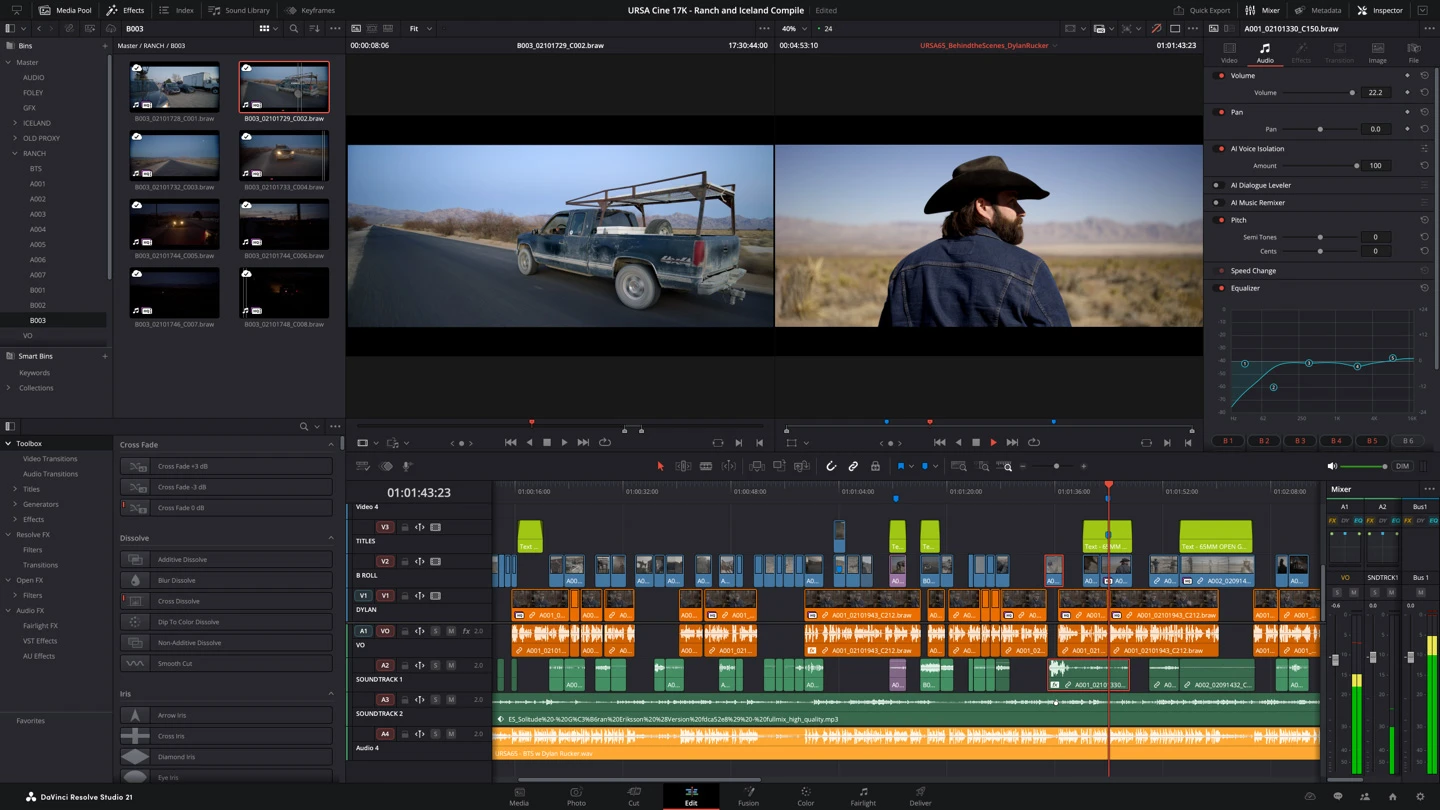
Keep an eye on the project
Return to the timeline, inspect a clip, or follow the render queue without returning to the desk. You access the same project and media paths already set up on your Mac.
- Inspect the timeline and selected clips
- Review the desktop editing workspace
- Check the render queue and export progress
Use DaVinci Resolve on iPad
DaVinci Resolve also has an iPad workflow. Apperture opens the Mac instance, keeping the same project and media paths. The larger iPad screen helps you inspect the timeline and render queue; use your Mac for final color decisions.
How to get DaVinci Resolve on your iPhone or iPad
- Open DaVinci Resolve on your Mac and install the free Apperture Mac host.
- Get Apperture on your iPhone or iPad, then pair with your Mac using its QR code.
- Connect to your Mac and choose the DaVinci Resolve window. Use landscape orientation for more room.
Keep your Mac awake and on a network your iPhone or iPad can reach. Start on the same local network; for access away from home, see the Tailscale setup guide.
Can I use DaVinci Resolve on my iPhone or iPad with Apperture?
Yes — by streaming DaVinci Resolve from your Mac with Apperture. The desktop app runs on your Mac; your iPhone or iPad displays its window and sends remote input back. You need a reachable, awake Mac with DaVinci Resolve installed, the free Apperture Mac host, and the Apperture app on your iPhone or iPad.
DaVinci Resolve also offers an iPad workflow. This page is about accessing the Mac version from an iPhone or iPad. Detailed edits and color-critical grading are best done on your Mac display. Blackmagic Design’s DaVinci Resolve overview.
DaVinci Resolve is a trademark of its owner. Apperture is an independent app and is not affiliated with or endorsed by DaVinci Resolve's developer.